
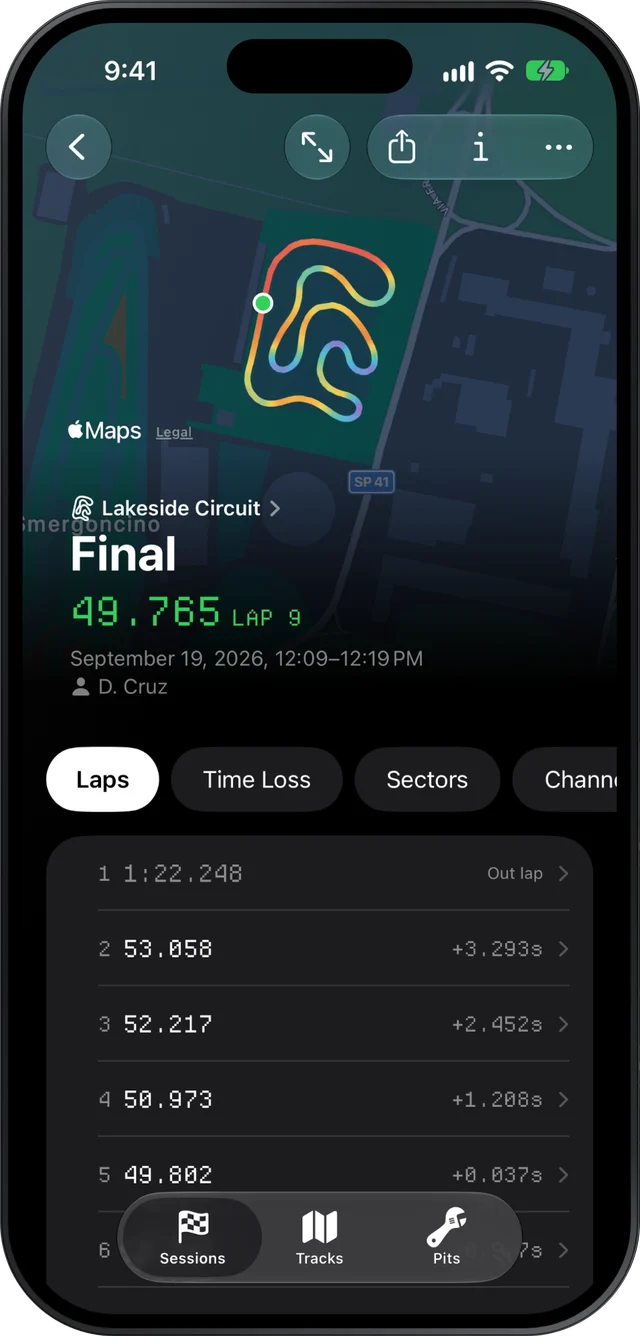
If your MyChron or other AiM logger has an exhaust probe or a water temperature sensor, Slicks shows each session's peak against the window for your engine, in plain words and in colour, and can colour the track map by either reading to show where the engine runs hottest. Your carb and radiator changes sit beside them.
What the two temperatures tell you
Exhaust gas temperature (EGT) is a read of the mixture. Leaner runs hotter, richer runs cooler. A lean engine makes power until it doesn't: too hot for too long is how pistons get hurt. Too cool usually means it is rich and leaving power behind. EGT is what carb changes chase: the main jet on a float carb, the needles on a diaphragm carb.
Water temperature says whether the engine is at the temperature where it makes its power. Too cold and it is down on power; too hot and it is down on power and wearing. On a water-cooled kart the control is the radiator: tape across it, or a cover, and how much of it you close off as the day warms up.
Neither reading compares well between karts. Where the probe sits in the header changes the EGT a lot, so a friend's 620 and your 620 are not the same 620. Compare your own sessions, with the same probe in the same place, and the numbers mean something.
The windows Slicks checks against
Pick your engine in Pits. Slicks then checks the session's peaks against these ranges, the ones the karting community quotes. They are not manufacturer specifications, and your tuner's numbers win.
| Engine preset | EGT window | Water window |
|---|---|---|
| Rotax Senior | 550–650 °C (1,022–1,202 °F) | 55–60 °C (131–140 °F) |
| IAME X30 | 580–650 °C (1,076–1,202 °F) | 50–58 °C (122–136 °F) |
| IAME KA100 | 580–650 °C (1,076–1,202 °F) | none, air-cooled |
| Vortex Rok GP | 450–650 °C (842–1,202 °F) | 48–60 °C (118–140 °F) |
| Yamaha KT100 | 500–600 °C (932–1,112 °F) | none, air-cooled |
A reading with no window is shown without a verdict. There are no custom windows, so if your tuner's range is different, read the number against theirs and ignore the colour.
Where on the lap the engine gets hot
A peak is one number. Where it happened tells you more.
Colour the track map by EGT. On most tracks the exhaust temperature climbs down the straights with the throttle pinned and falls away under braking, so the hottest part of the trace usually sits at the end of the longest straight. Hold the map anywhere to read the exact value at that point.
Then open the lap. Its screen charts EGT, RPM and speed against one distance axis with a single cursor, so you can see how the temperature behaves along a whole straight, not just where it topped out. Many tuners look at that shape as well as the peak: where the temperature starts to climb, and whether it is still climbing at the braking point. What the shape should be on your engine is your engine builder's call, so show them the chart.
Water moves slowly, so the map coloured by it is mostly one colour. The Setup page's channel ranges are more use: a water peak of 56 °C with a low of 38 °C says the engine went out cold and spent the first laps warming.
Logging carb and radiator changes
When you import a single new session, Slicks asks what changed on the kart before it shows any numbers. Tick carb and write the setting the way your tuner does: the main jet, or both needles in turns out and the pop-off. Radiator tape goes under "other", with a line in the session's notes saying how much was covered. Slicks does not record the weather, so put the air temperature in the notes too. Jetting follows the air, and a setting that was right at nine in the morning is often wrong by two in the afternoon.
The next session's Setup page then shows the new peaks right beside the change that produced them. Our page on keeping a kart setup log goes further into what to write down.
A routine between sessions
- Water peak. Inside the window? If it is low, cover more radiator; if it is high, uncover some.
- EGT peak, and where. Colour the map. A peak at the end of the long straight is normal; one somewhere strange is worth a look on the lap's chart.
- One change. Jetting or radiator, not both, so the next session shows which one moved the numbers.
- Write it down before you go back out.
Do not chase a magic number. The window is a range for a reason, and the lap time still decides. If you are setting up the gearing at the same time, the RPM side of it has its own page.
What Slicks does not do: it does not warn you on track (there is no live telemetry), suggest a jet or needle setting, read the weather or air density, draw temperature histograms, or let you enter your own windows.
