
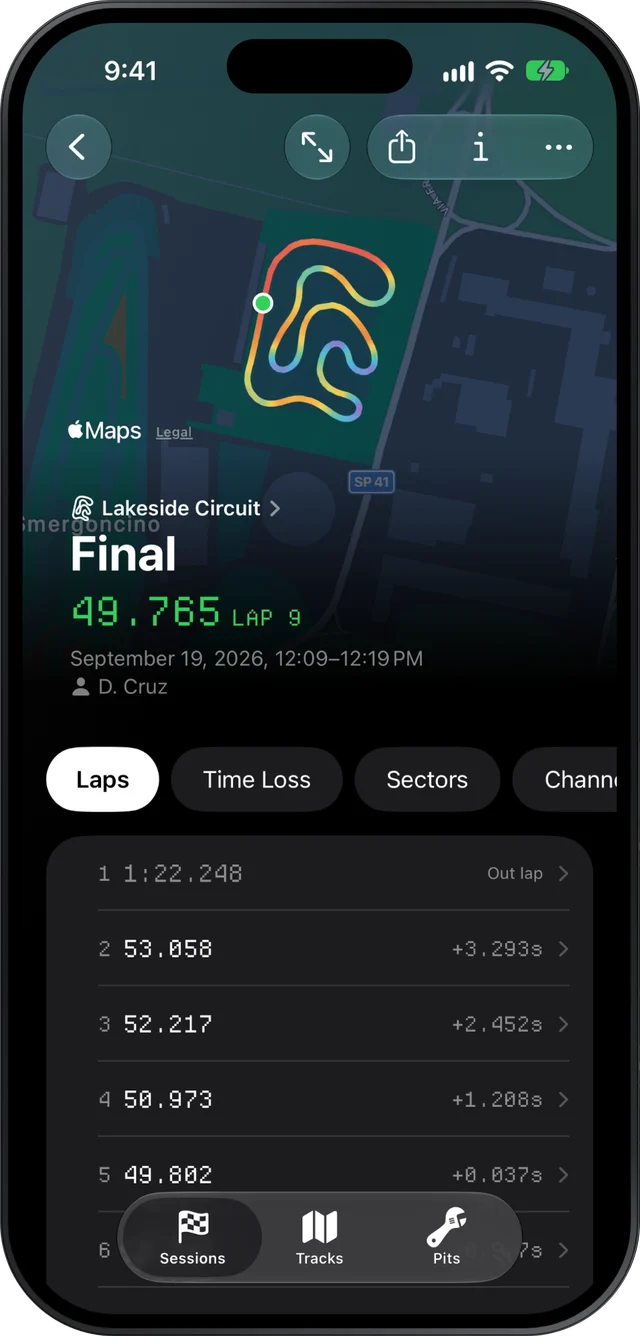
Slicks is a karting setup log tied to your telemetry. When you import a new session from your MyChron or other AiM logger, it asks what you changed on the kart before it shows a single lap time: gearing, cold pressures, tires, carb and the rest. The setup then sits on the session's Setup page, beside the engine peaks it produced.
What a setup entry holds
Setup sheets fail when they ask for too much. Fill in forty fields after every session and by Saturday afternoon you have stopped. Slicks keeps to the things that change between sessions:
- Session type: practice, warm-up, qualifying, heat, prefinal, LCQ or final.
- What changed: ticks for gearing, pressures, carb, axle, track width, caster, new tires and other.
- Gearing: front and rear sprocket teeth.
- Cold pressures: all four tires.
- Tires: which set, and whether it was new.
- Carb: the setting you ran.
The ticks are the important part. "Changes since last session" is the one thing every mechanic agrees is worth writing down in a hurry, because it is what you need when you try to work backwards later. For the detail behind a tick (which axle, how many millimetres of width, two clicks of caster), use the session's Notes page.
Why it asks before you see the numbers
When you open one new file, the setup comes first and the laps come after. That is on purpose.
Once you have seen a 49.8, your memory of the session starts to bend around it. A good time makes the pressure change look clever. A bad one makes you wonder whether you really did drop half a psi, or whether it was the session before. Writing the change down first gets you an honest record: what was done to the kart, not what you now think was done.
It is also the moment you are most likely to do it. The kart has just come in, the change is still in your hands, and the file is open anyway.
One change at a time
A setup log is only useful if each session answers one question. The method tuners use:
- Make one change. Gearing or pressures, not both.
- Run enough laps for it to show, usually three to five clean ones.
- Judge it by sector times, not the lap time. A change that helps the slow corners and hurts the fast ones can leave the lap time flat while telling you exactly what it did.
- Keep it or take it back, and tick what you did for the next session.
The Sectors page gives you the best time through each part of the lap and the theoretical best they add up to. If the change helped where you expected and nowhere else, it worked.
Seeing a change next to its effect
The setup lives on the same page as the engine's readings. Open a session's Setup page and you see, from the top: peak RPM, exhaust and water temperatures against the window for your engine, every channel's range, and then the kart setup you wrote down.
So the cause and the effect are on one screen. Went up a tooth on the rear sprocket? The RPM peak that came with it is right above it. Leaned the carb? The exhaust temperature it ran at is there too. Our page on reading gearing from your data goes through the sprocket side of this, and exhaust and water temperature the carb side.
To follow a run of changes through a day, open the sessions one after the other. On an iPad the session list sits beside the session, and on a Mac the sidebar groups each race weekend's sessions together, so stepping from practice 2 to practice 3 is one tap or click.
Getting the setup to your mechanic or tuner
The person who needs the setup is often not the one holding the phone. With Slicks Pro, the session's Share menu's Share Link makes a read-only web page that opens in any browser, no app and no account: the best lap, the sectors against the best in each, the theoretical best, the engine's peaks, consistency, the setup and your notes. It never includes the original file, and you can stop sharing at any time.
That covers the engine builder who wants to see the temperatures next to the jetting, and the parent or mechanic back home who wants to know what you ran. If they want the full data too, Send File sends the XRK itself. Since sessions sync to every device you sign in on, the setup you typed on your phone in the pits is waiting on your Mac when you get home.
What it does not do
Slicks is not a full chassis sheet. It has no fields for toe, camber, seat position, ride height or torsion bars, and it does not record the weather. It does not show two sessions' setups side by side or highlight the difference between them, and it does not export setups to a spreadsheet. If you need those, keep your existing sheet for the chassis and let Slicks hold the session-to-session changes next to the data they explain.
